
Airbnb & Vacation Rentals
Make guests feel the stay before they book.
Turn quiet rental images into warm, lived-in scenes that help people picture the trip, not just the room.
Make the image work harder
The scene is there. Now make it sell.
Show the full experience
Create moments around breakfast, poolside time, family stays, and weekends away.
Make listings feel alive
Add the sense of warmth and scale that an empty room alone cannot communicate.
Refresh without a reshoot
Build new listing, seasonal, and social content from the photos you already own.
A controlled workflow
From the source photo to a usable campaign scene.
Keep the original image as your factual record. Use Instant Photoshoot to create additional marketing options around a specific audience, season, or occasion.
- 01
Choose an accurate source
Start with a clean property image that shows the real room, layout and permanent features clearly.
- 02
Describe the guest moment
Create around a specific trip, such as a family breakfast, weekend arrival or quiet evening on the terrace.
- 03
Publish with context
Keep factual listing photos in the gallery and identify generated lifestyle scenes wherever a guest could mistake them for documentary images.
Look closely at the example above
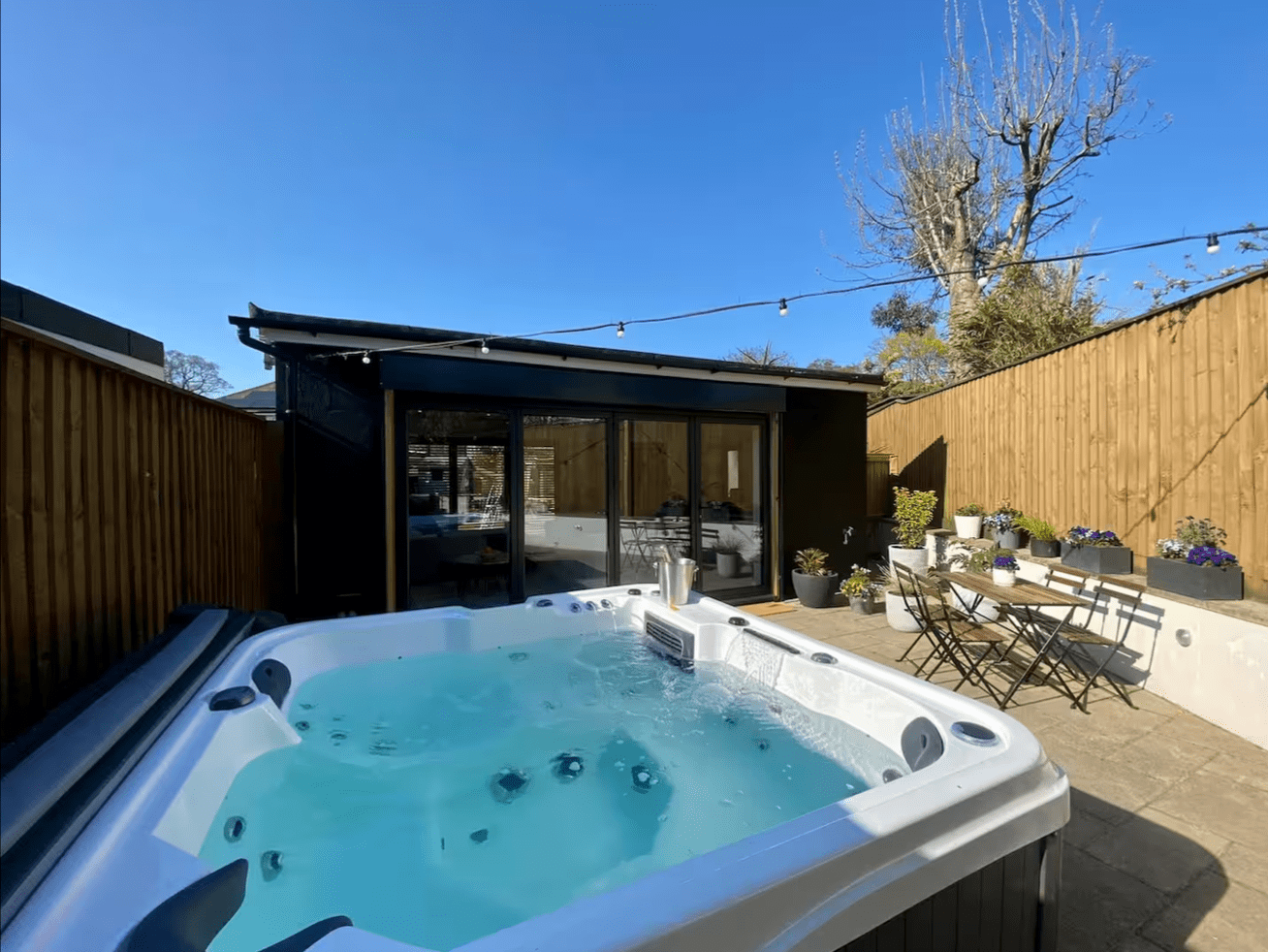
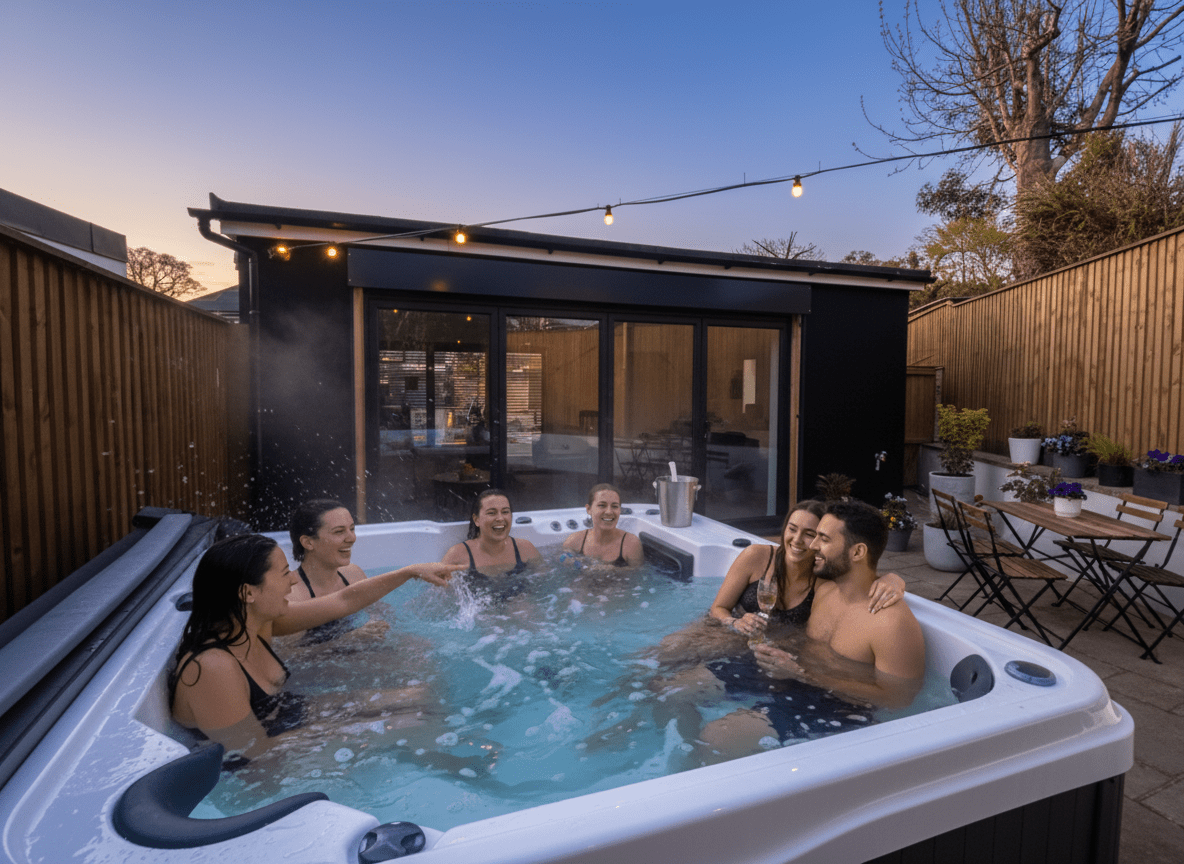
A hot tub photograph, then an evening scene
The source shows an empty outdoor hot tub and patio in daylight. The generated version adds a group of people and evening lighting. It illustrates a possible guest moment; it is not evidence that those guests stayed at the property, or that the scene increased bookings.
What to put in the brief
Choose one real amenity and one plausible moment. For this patio, that could mean an evening soak with a small group. Say which details must remain true to the source: the hot tub, doors, fencing, furniture and surrounding space. A specific brief gives you something to check, not a guarantee that the image will get every detail right.
What to check before publishing
Compare both images at full size. Check the size and position of the tub, access around it, fixed features, faces, hands, reflections and shadows. Reject a version that invents an amenity or misrepresents the space. Keep the original in your factual property gallery, and identify the generated scene clearly wherever someone might mistake it for a documentary photograph.
Still planning the source photographs? The editable Airbnb photography brief helps you list the rooms and amenities to capture, choose the opening images and record the accuracy checks before a shoot.
Plan the source images
Practical guides for airbnb & vacation rentals.
How to take Airbnb photos
Prepare, light and photograph the whole stay with a phone or camera.
Read the guideImprove your Airbnb listing
Strengthen the gallery, title, amenities and practical guest expectations.
Read the guideAirbnb photo checklist
Use a room-by-room list before, during and after the shoot.
Read the guideCommon questions
What teams ask before they create.
Should generated images replace the real Airbnb photos?
No. Keep accurate source photographs as the factual record of the property. Use generated lifestyle scenes as additional marketing material and identify them clearly.
What can I create from one rental photograph?
You can explore different guest types, seasons and moments while keeping the room and fixed property features consistent with the source image.
Where can Airbnb lifestyle scenes be used?
They can support a direct-booking website, social posts, advertising and seasonal campaigns. Check the current rules of any listing platform before adding generated imagery there.
Put more possibility in every image.
Start with the photo you already have. Finish with a visual people want to step into.
Review each publishing channel’s image rules before use